Free for iPhone, iPad and Android
The free pet care app for families and classrooms
Find the right pet, then keep up with it. Our app turns care guides into daily chores kids can do, with a view for kids, reminders and tracking for parents, and a job chart that rotates itself for teachers.

- Free
- No ads
- No shop links
- Kids never sign in
🔍 Find the best pet first
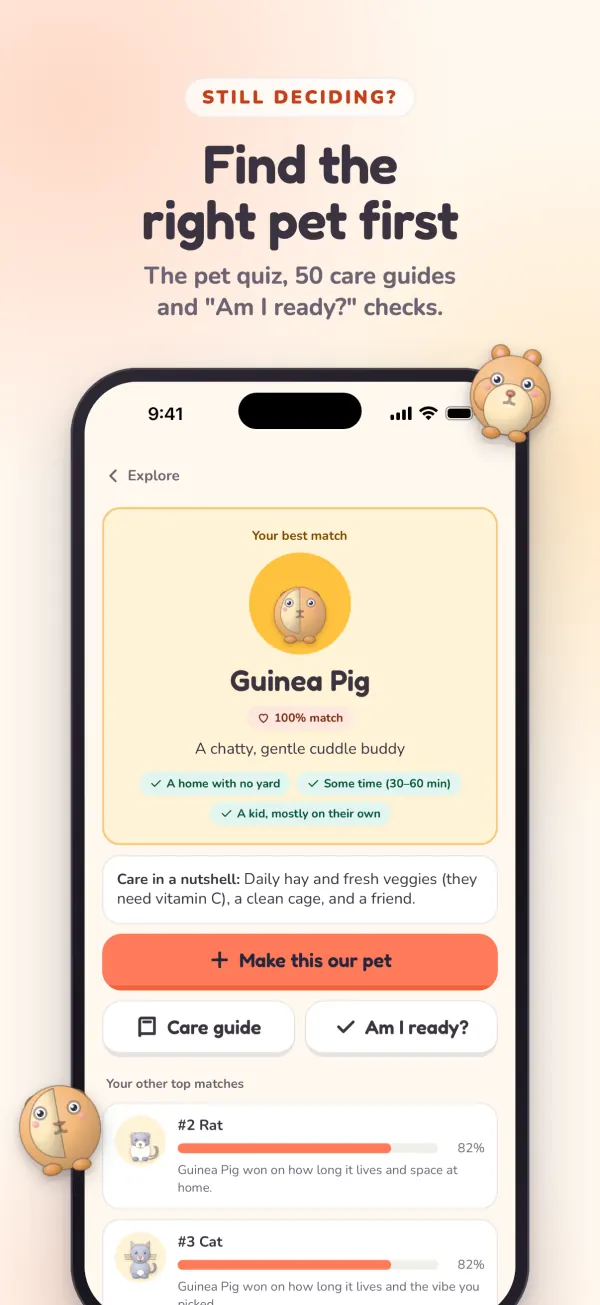
Still deciding? The app has the same 11-question pet quiz as this website. It scores all 50 pets against your answers and shows your best match, the runners-up, and why each one fell short.
- Where you live. Pick your region and the quiz flags pets that are restricted there. We have detailed rules for parts of the US, Canada, Australia and New Zealand.
- Care guides for all 50 pets, plus "Am I ready?" checks and side-by-side comparisons. All of it works offline.
- "Make this our pet." One tap starts a setup checklist and an arrival countdown, so you're ready before they come home.
On a computer right now? Take the quiz here on the website.
👨👩👧 For parents: track and monitor every chore
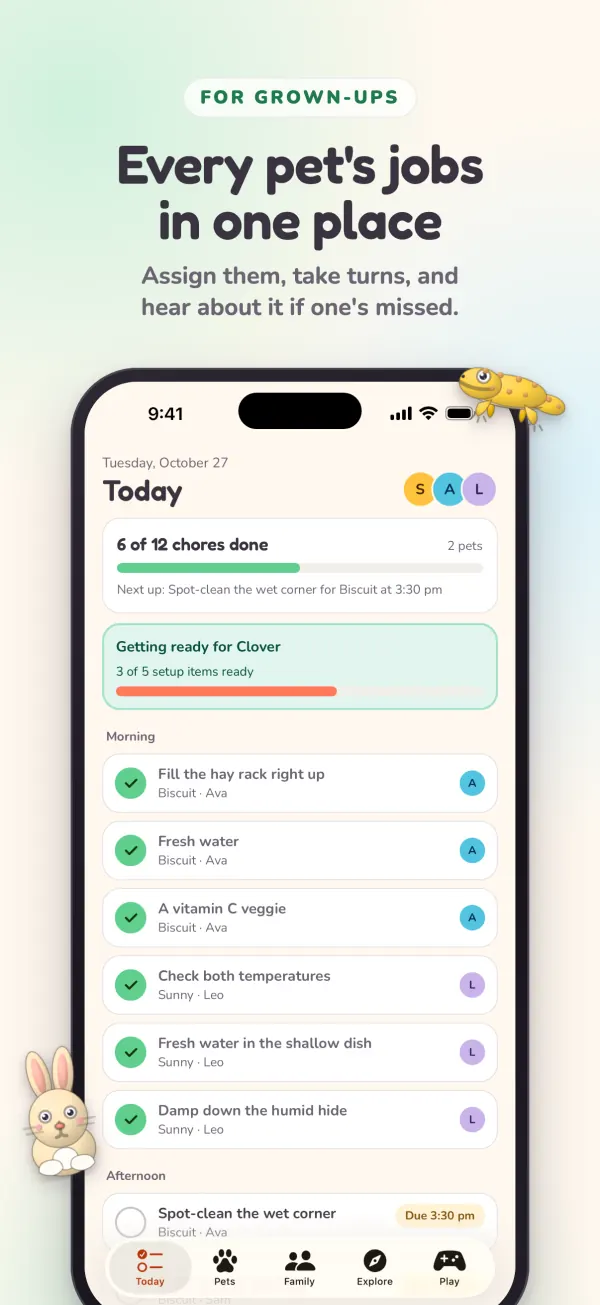
Add your pets and each one gets a ready-made care plan with short steps, a reason why, and a flag on the jobs that need a grown-up. You decide who does what, then check in without the nagging.
- See the day at a glance. Today lists every pet's chores and who has each one, with a running count like "6 of 12 chores done."
- Assign it your way. Give a chore to one kid, have kids take turns with a swap every Monday, or leave it for anyone.
- Watch ticks come in. Sign in and every phone and tablet in the family stays in sync, so a tick on a kid's tablet shows up on yours.
- See who did what, and when. A finished job shows who did it and the time. You can mark a job done late, or change who did it.
- Look back over past days. History goes back 90 days, so you can step through any day and see what got done.
- See what was missed. One list of the jobs nobody ticked off, plus a note on Today when yesterday had a miss.
- Reminders at chore time, on for each job unless you turn them off.
- "Tell me when it's done." Turn this on for any job and get a notice when it's finished.
- "Not done by bedtime" alerts. Turn this on for the jobs that can't wait until morning, and a grown-up hears about it that evening.
- Each kid's week. Jobs done, jobs missed and their streak, for grown-ups only and with no ranking between kids.
- An optional grown-up PIN keeps kids in their own view.
Sharing between devices needs one grown-up to sign in with Apple or Google. Without that, everything stays on the one device.
🧒 For kids: pet care they can actually do
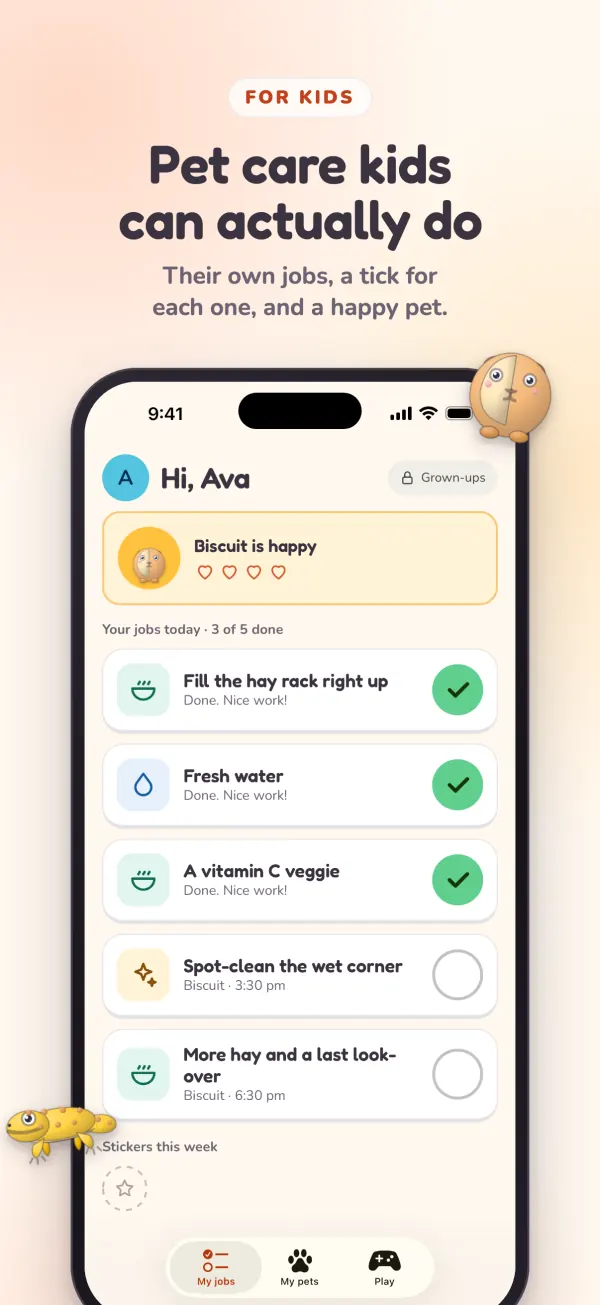
Hand over a shared phone in Kid view, or link a kid's own tablet by scanning a code. Either way, they see their jobs in big cards they can tick off themselves.
- Just their jobs. Their own chores and the ones anyone can do. Jobs that need a grown-up stay locked.
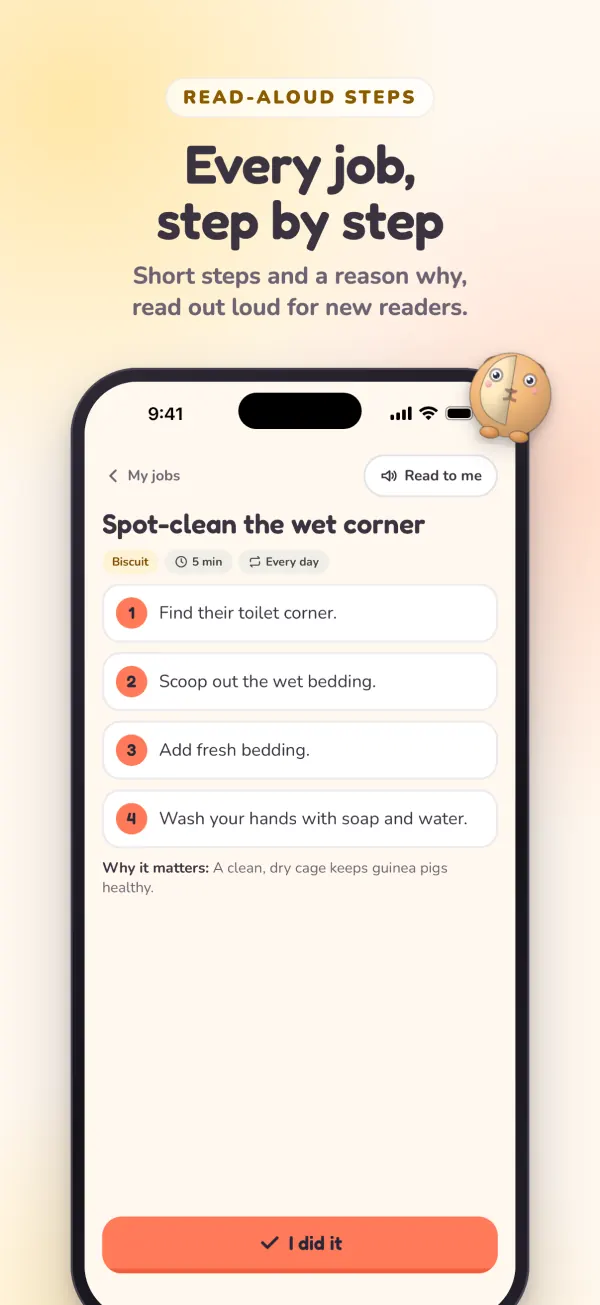
- Steps read out loud. Tap "Read to me" on any chore, which helps kids who are still learning to read.
- A reason why. Every chore says why it matters to the pet.
- Hearts, stickers and a streak to show how the pet and the week are going.
- Nothing to sign in to. No email, no password, and nothing they can accidentally change.
- A Play tab with animal quizzes and the Pet Arcade games.
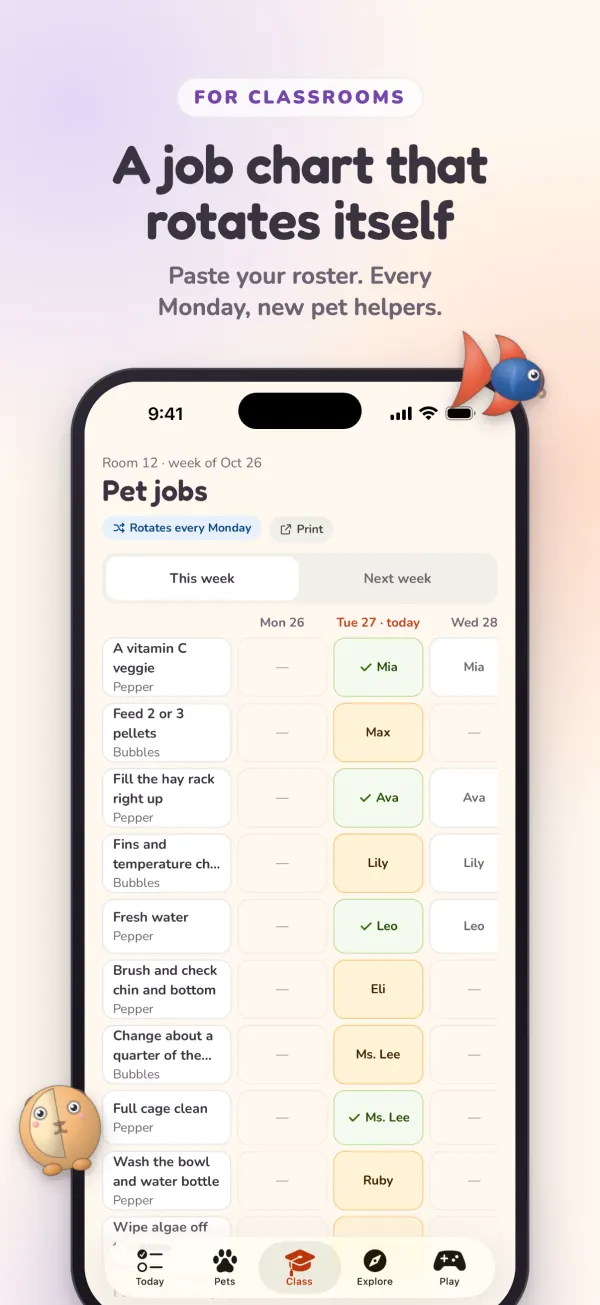
🏫 For teachers: a class job chart that runs itself
Choose "My classroom" when you set up and the app switches to teacher tools. It's built for a real school week, including the weekends and breaks that classroom pets still need looked after.
- Paste your roster. One name per line. Students don't need accounts, so a first name or nickname is all it takes.
- A chart that rotates every Monday. See this week and next week, look back at past weeks, and print it for the wall.
- Weekends and breaks. Mark who's hosting the pet, and only the must-do jobs run while school is out.
- A take-home note. A printable PDF for the host family with the must-do jobs, the steps and the health signs to watch for.
- A substitute care card. A printable PDF for each pet with where things are, the daily helpers and when to call a vet.
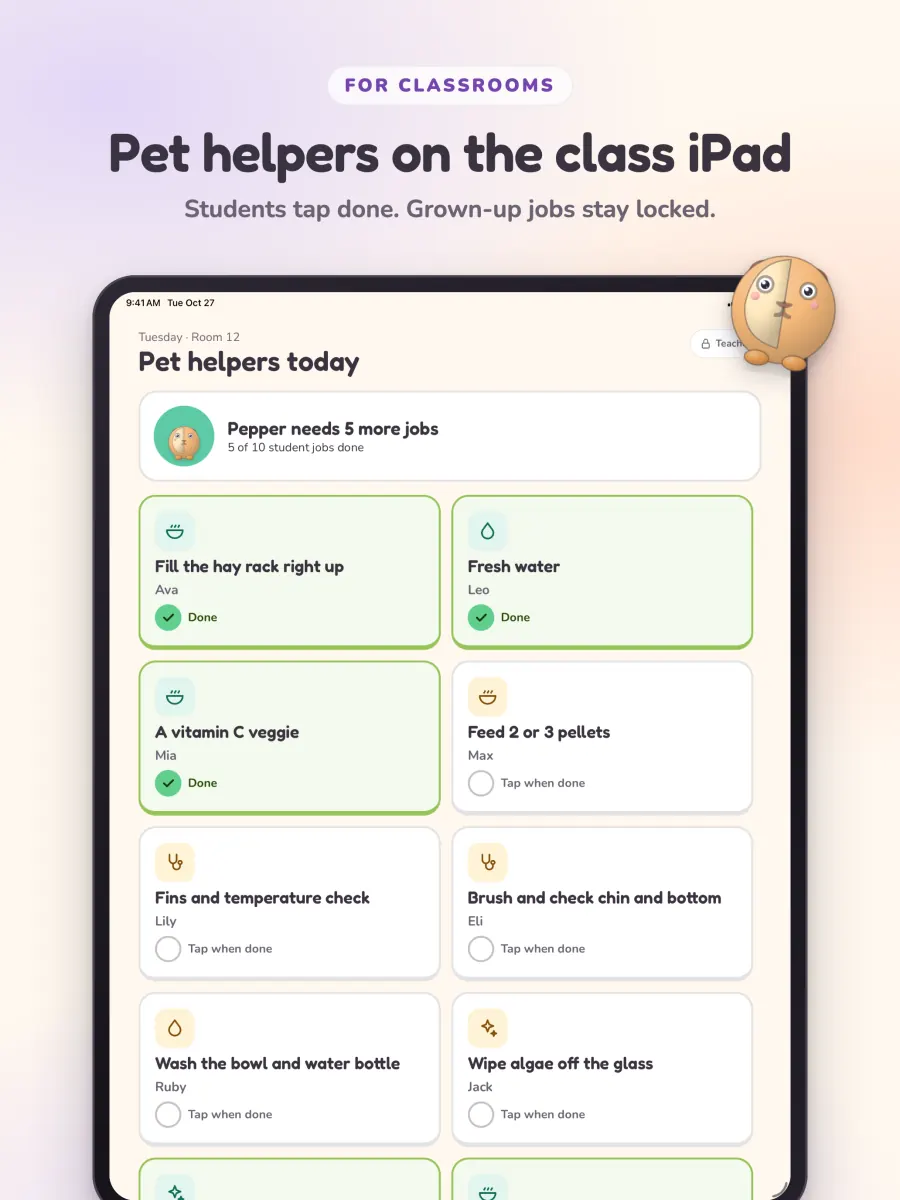
📲 Pet helpers on the class tablet
Class display mode puts "Pet helpers today" on a shared tablet. Students tap a job when they've done it, teacher-only jobs stay locked, and a count at the top shows how many jobs the pet still needs.
Also in the app
A checklist and countdown for each of the 50 pets, so everything's ready on arrival day.
Today's pet jobs, one of your pets, or the class's helpers at a glance.
The same games as our arcade, playable offline.
Plus a Daily Challenge with ten new questions every day.
🛡️ Made to be safe for kids
- No ads, no shop links and no tracking in the app.
- Kids never sign in or type anything, and they never need an email address.
- Links to this website sit behind a grown-up check in kid views, because our website does have shop links.
- You stay in control of your data. Delete it any time in the app or on our delete my data page. The privacy policy has the details.
Getting started takes a few minutes
- Download it freeIt's "What Pet Should I Get?" in the app stores and "WhatPet" on your home screen.
- Add your family or classPick your pets, add your kids or students, and choose who does which chores.
- Hand it overOpen Kid view or class display, or link another device with a code.
Common questions
Is the app free?
Yes. What Pet Should I Get? is free to download and use, with no ads and no in-app purchases.
What devices does it run on?
iPhone, iPad and Android. On Apple devices it needs iOS or iPadOS 16.4 or later, and on Android it needs Android 7.0 or later.
Can parents see when chores are done?
Yes. The Today screen shows every job and how many are done, and a finished job shows who did it and when. History goes back 90 days, with what was missed and how each kid's week went. If a grown-up signs in, ticks from a kid's tablet appear on your phone, and you can turn on an alert when a job is done or still not done by bedtime.
Does my child need an account?
No. Kids never sign in or need an email address. They can use Kid view on a shared device, or a grown-up can link their tablet by showing a one-time code.
Do I need an account?
Not to start. Everything stays on one device until a grown-up signs in with Apple or Google, which is only needed to share a family or class across devices.
Can teachers use it for a classroom pet?
Yes. Choose "My classroom" during setup. You get a student job chart that rotates every Monday, a class display mode for a shared tablet, weekend and break planning, and printable take-home notes and substitute care cards.
Which pets does it cover?
All 50 pets on this site, from dogs, cats and guinea pigs to geckos, axolotls and hermit crabs, with 443 ready-made care jobs between them.
Is it different from the website?
The quiz, care guides, "Am I ready?" checks, comparisons, quizzes and games are all here on the website too. The app adds the daily side: chores, reminders, kid and class modes, widgets and offline use.
Get the free app
Find the right pet, then keep up with it together.
 On a computer? Scan this to open the page on your phone.